
Features
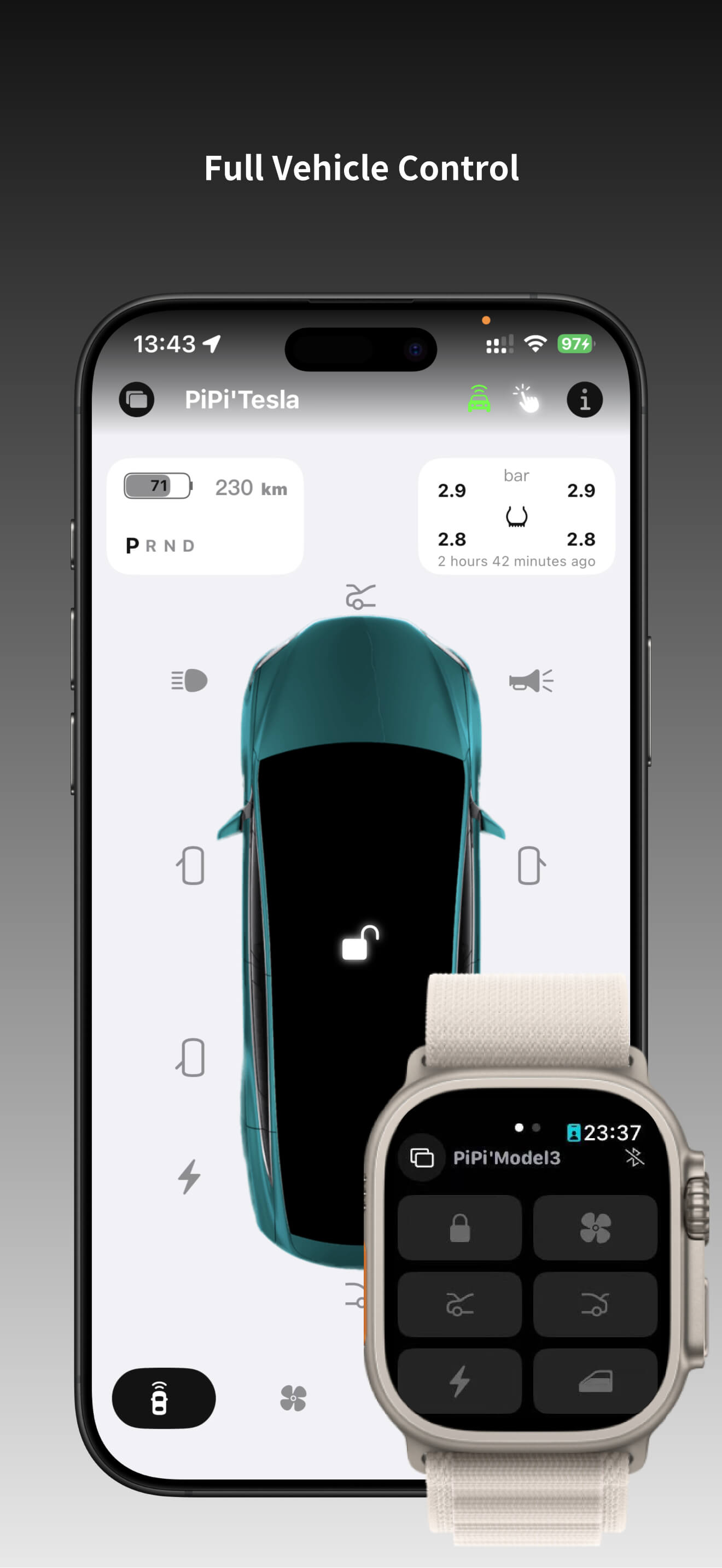
1. Vehicle Control
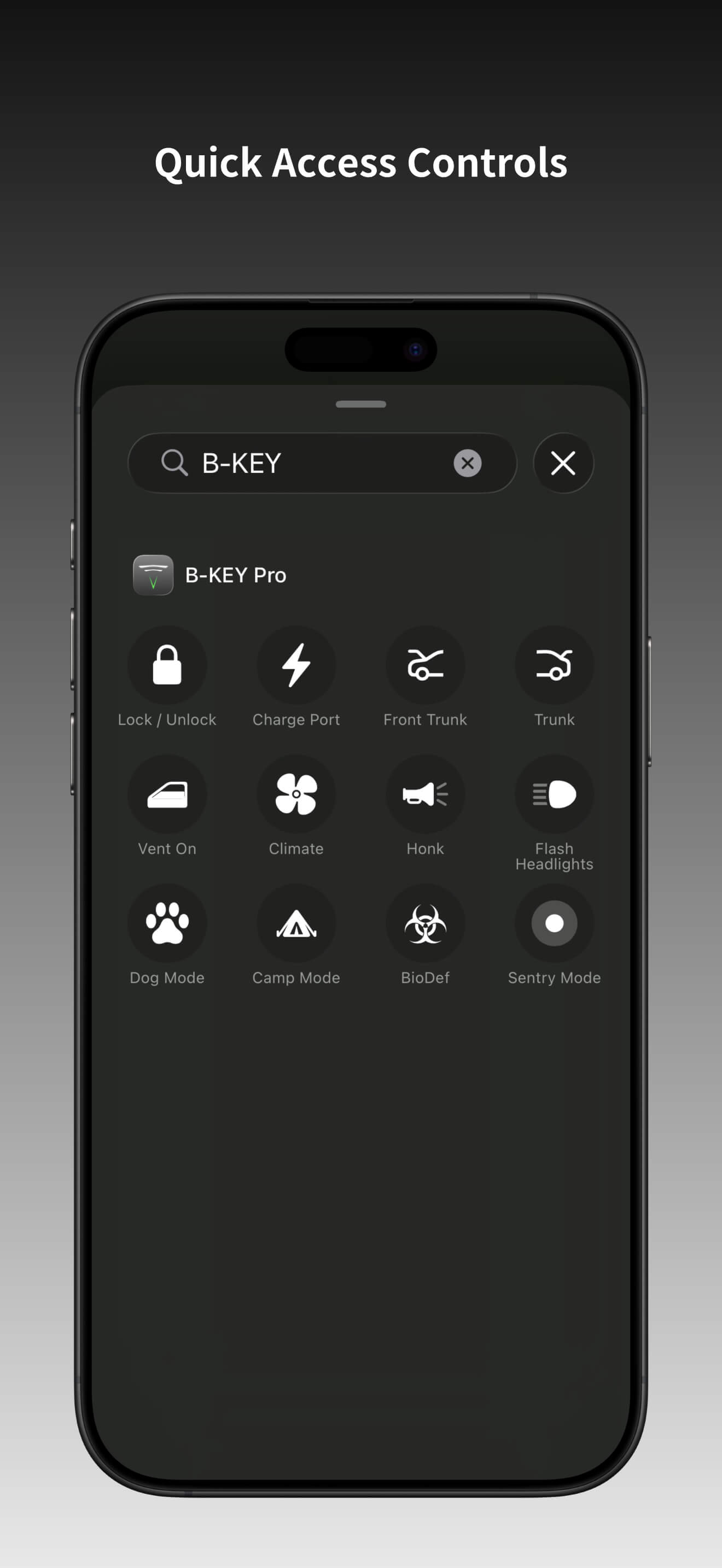
- Lock / Unlock vehicle
- Open / Close doors (*Closing requires vehicle support)
- Open / Close front trunk (*Closing requires vehicle support)
- Open / Close rear trunk
- Open / Close charge port
- Enable / Disable Sentry Mode
- Honk horn
- Flash headlights
- Show window status
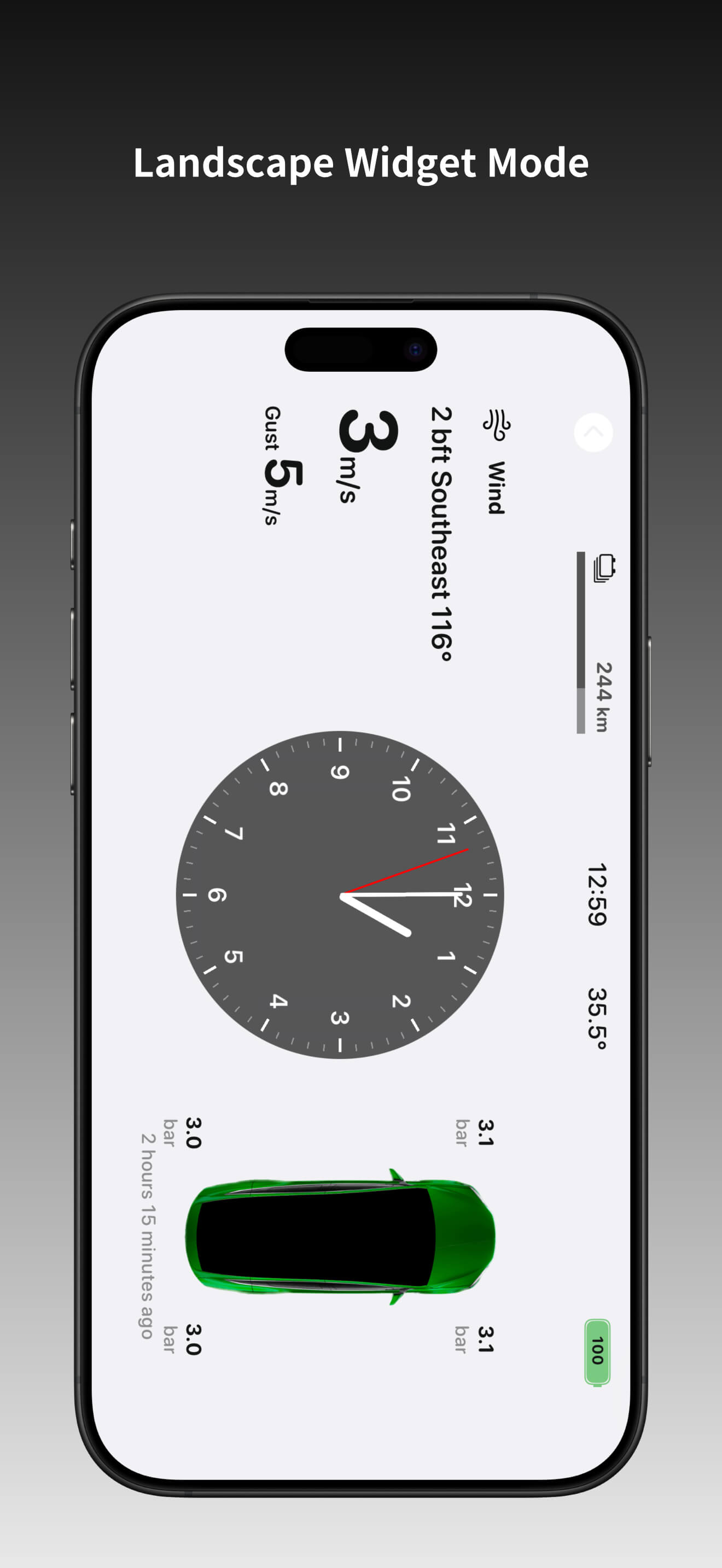
- Display battery / speed / gear / tire pressure data
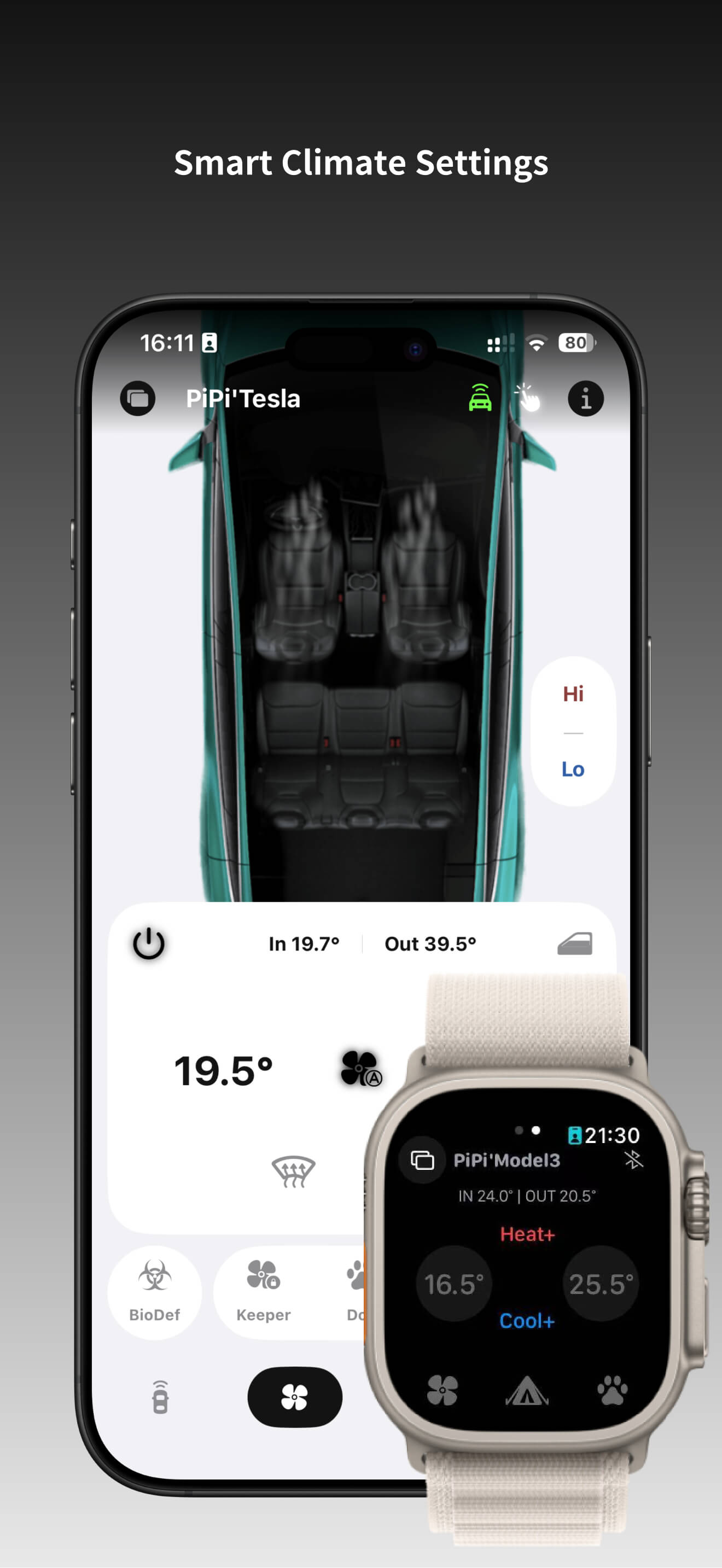
2. Climate Control
- Turn on / off air conditioning
- Turn on / off ventilation
- Turn on / off defogging
- Set air conditioning temperature
- Enable / Disable Bioweapon Defense Mode (*Requires vehicle support)
- Enable / Disable Keep Climate Mode
- Enable / Disable Camp Mode
- Enable / Disable Dog Mode
- Set overheat protection mode and temperature
- Enable / Disable steering wheel heating
- Enable / Disable seat ventilation (*Requires vehicle support)
- Enable / Disable seat heating (*Requires vehicle support)
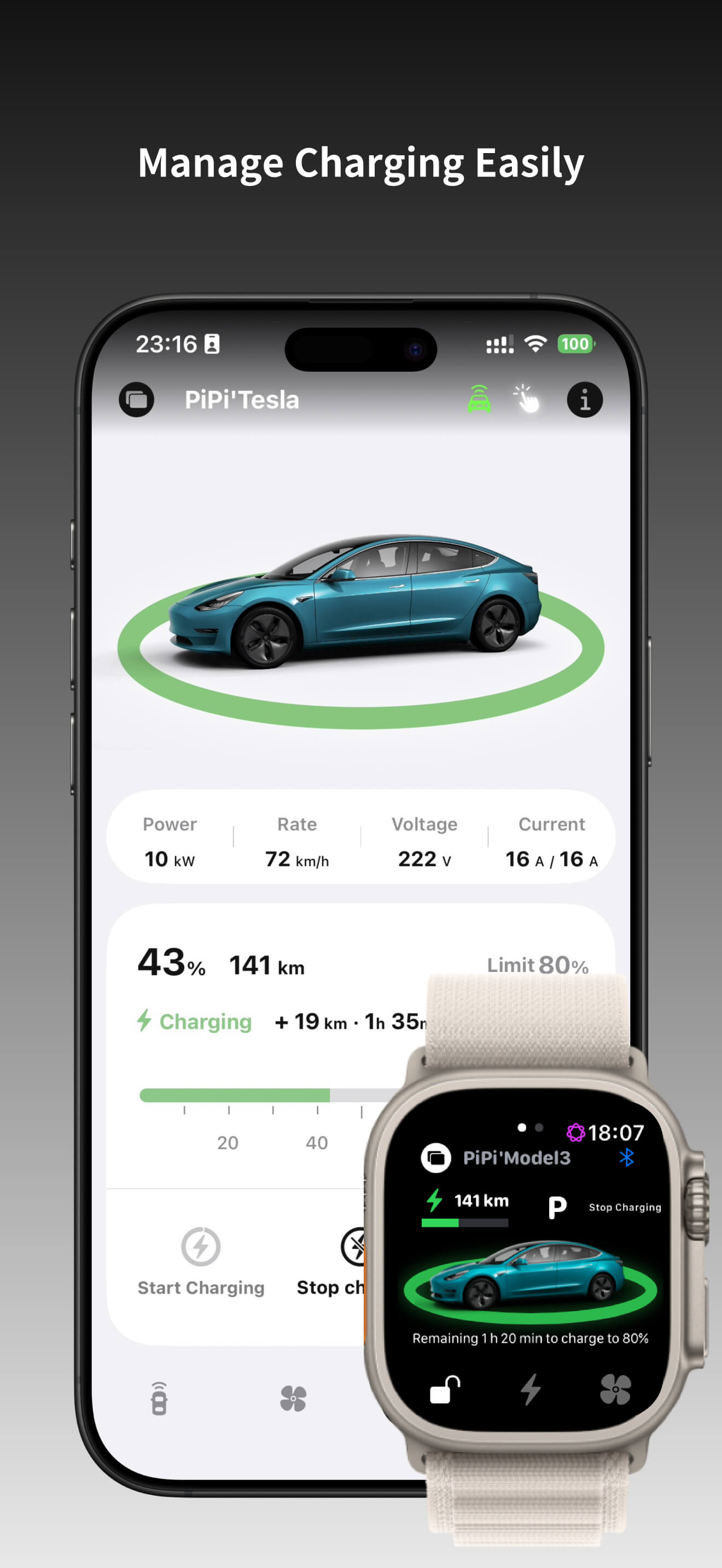
3. Charging Management
- Display charging status and information
- Set charge limit
- Set scheduled charging
- Display real-time charging activity (*Feature under development)
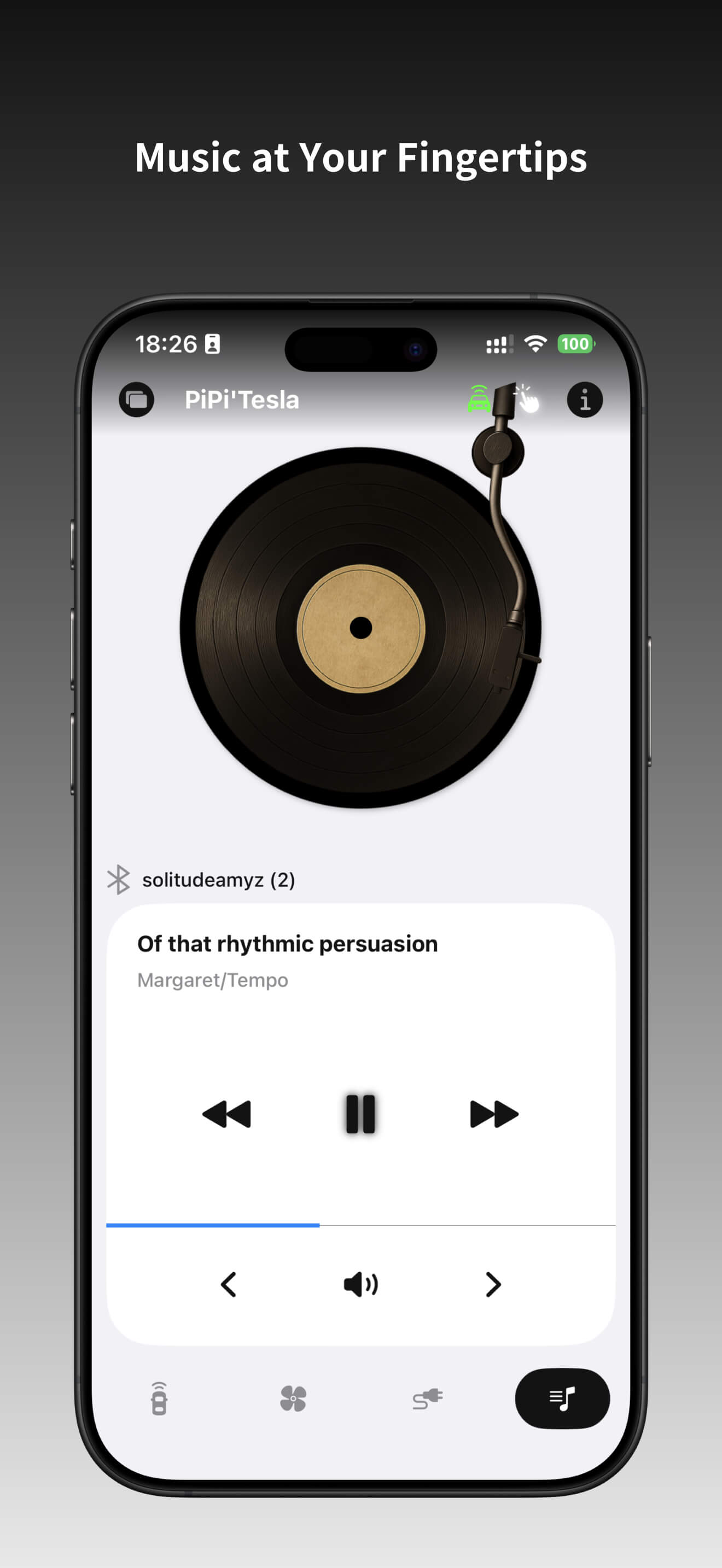
4. Multimedia Control
- Control audio playback: play / pause / previous / next
- Adjust audio volume
- Show audio source
5. Vehicle Settings
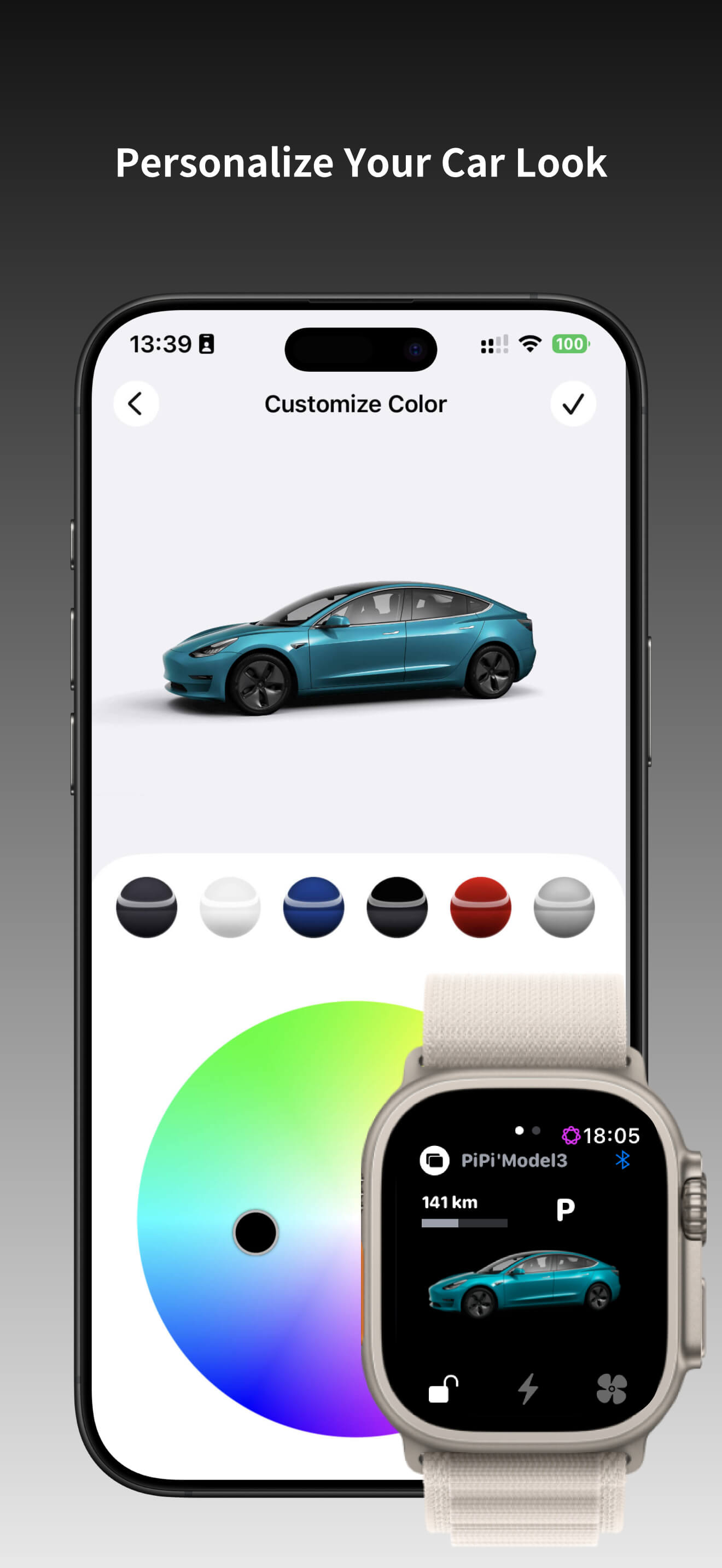
- Customize vehicle body color
6. Widgets
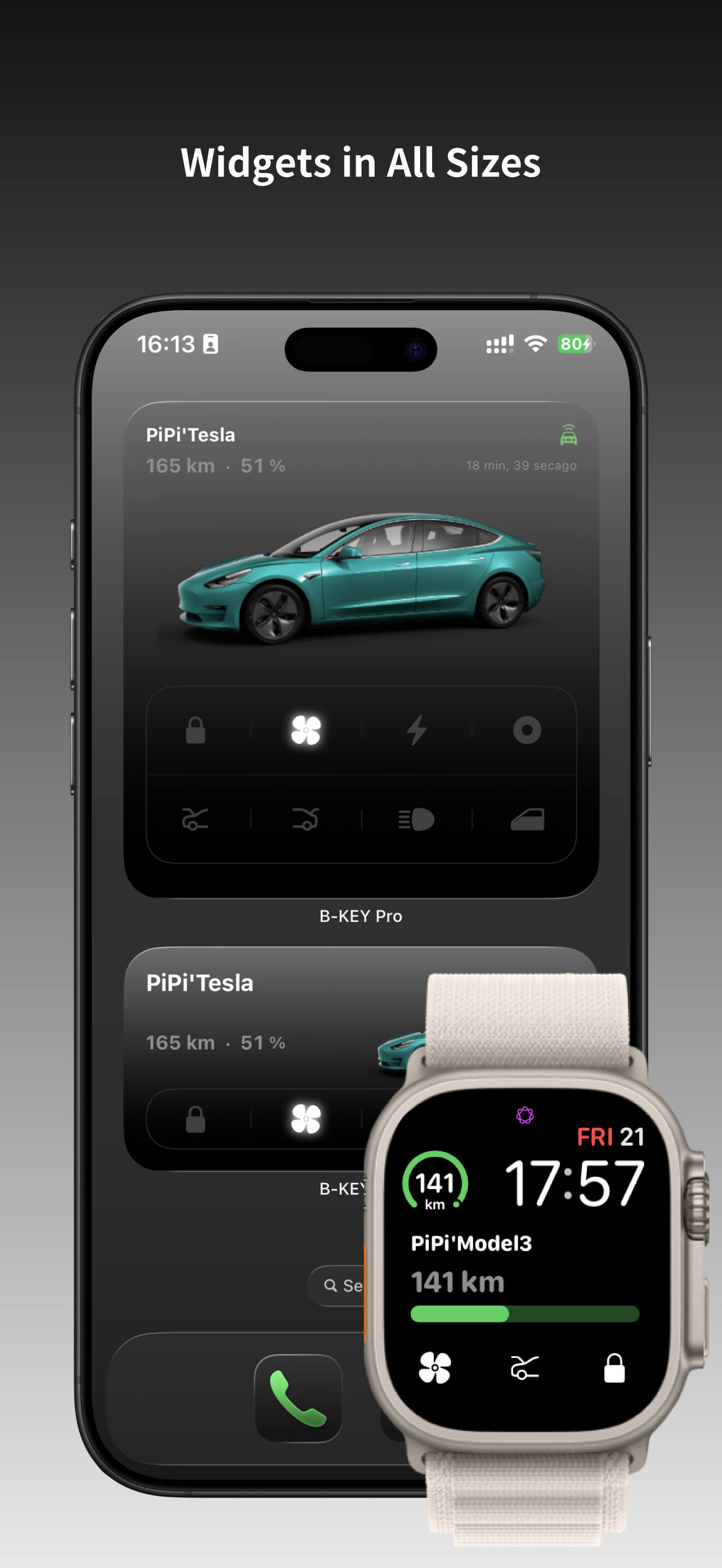
- Support multiple desktop widget sizes
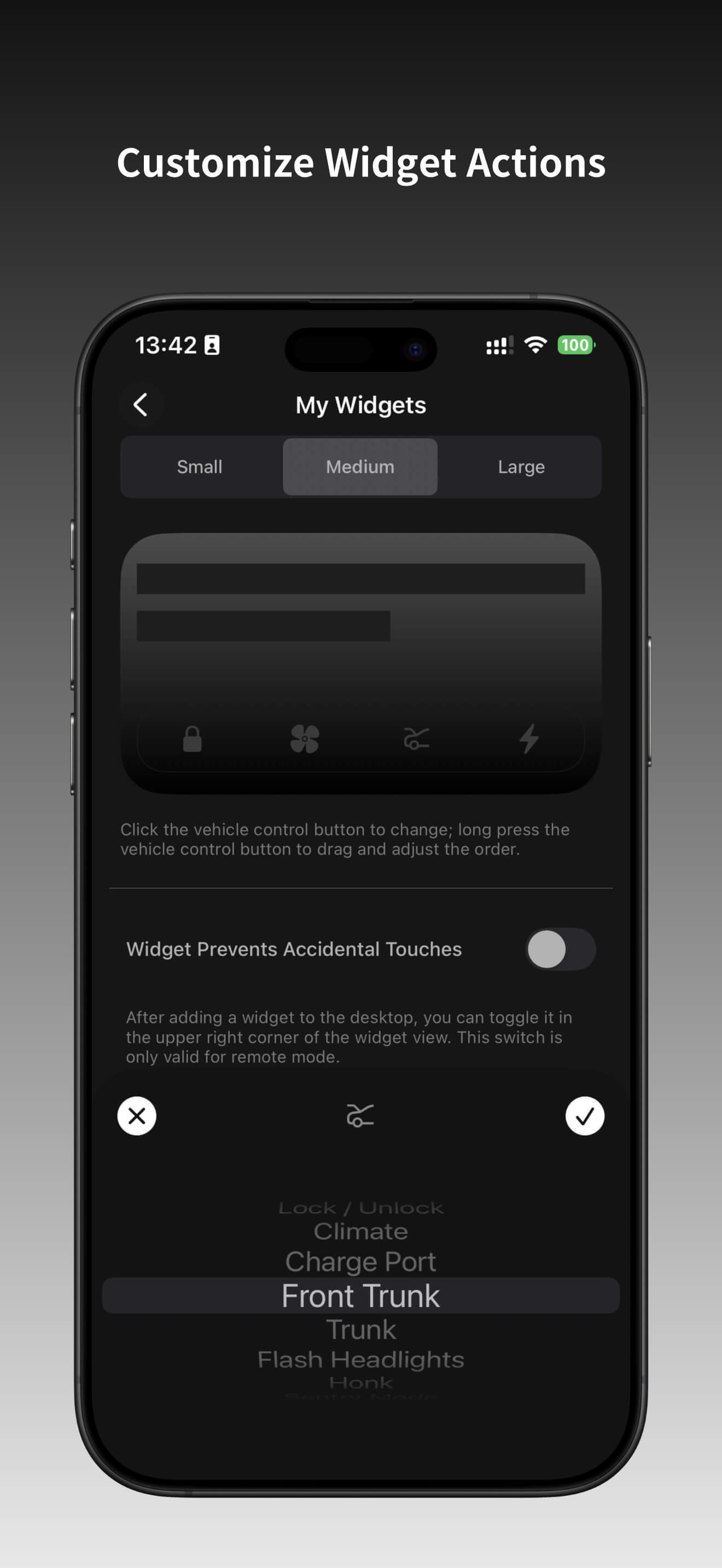
- Support customizable widget control buttons
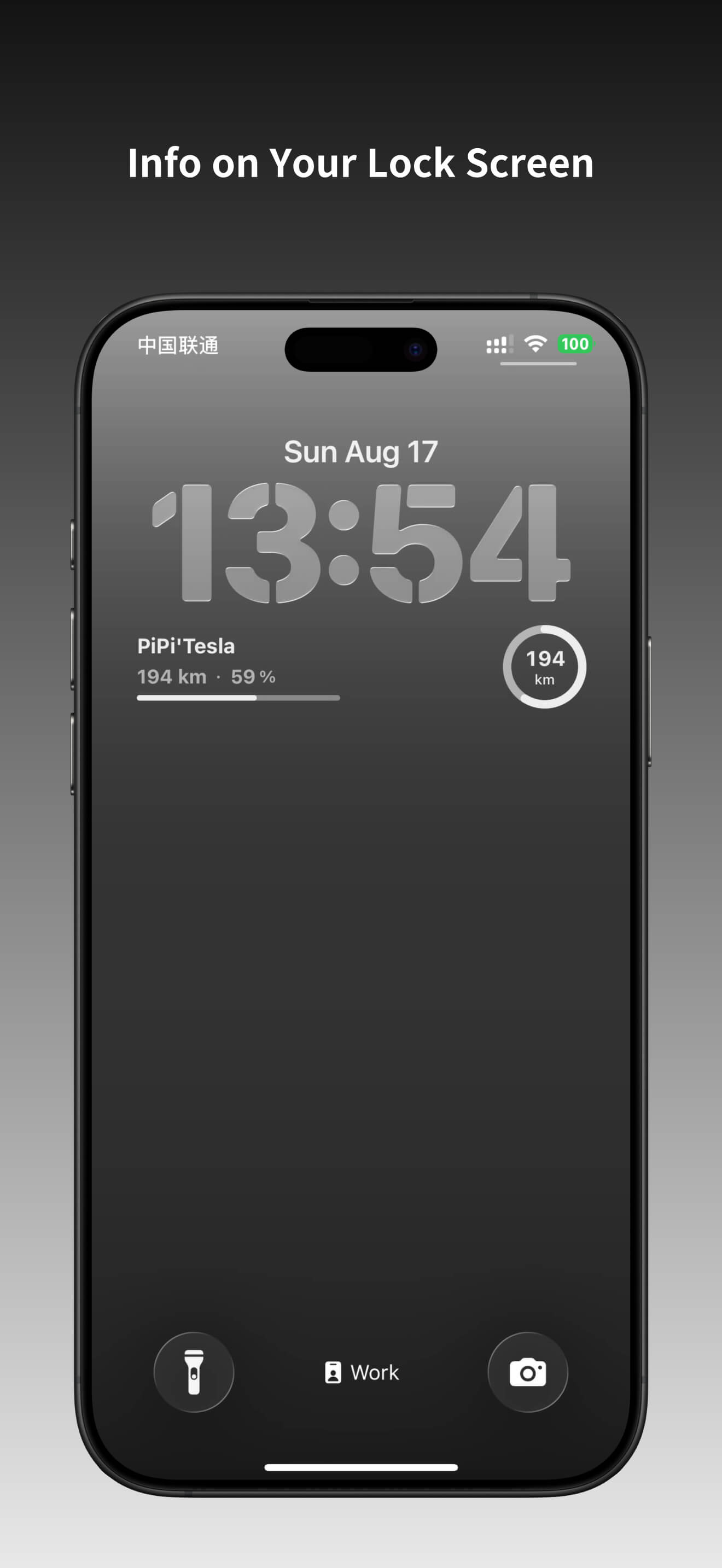
- Support lock screen widgets to display battery and range
- Support Control Center integration
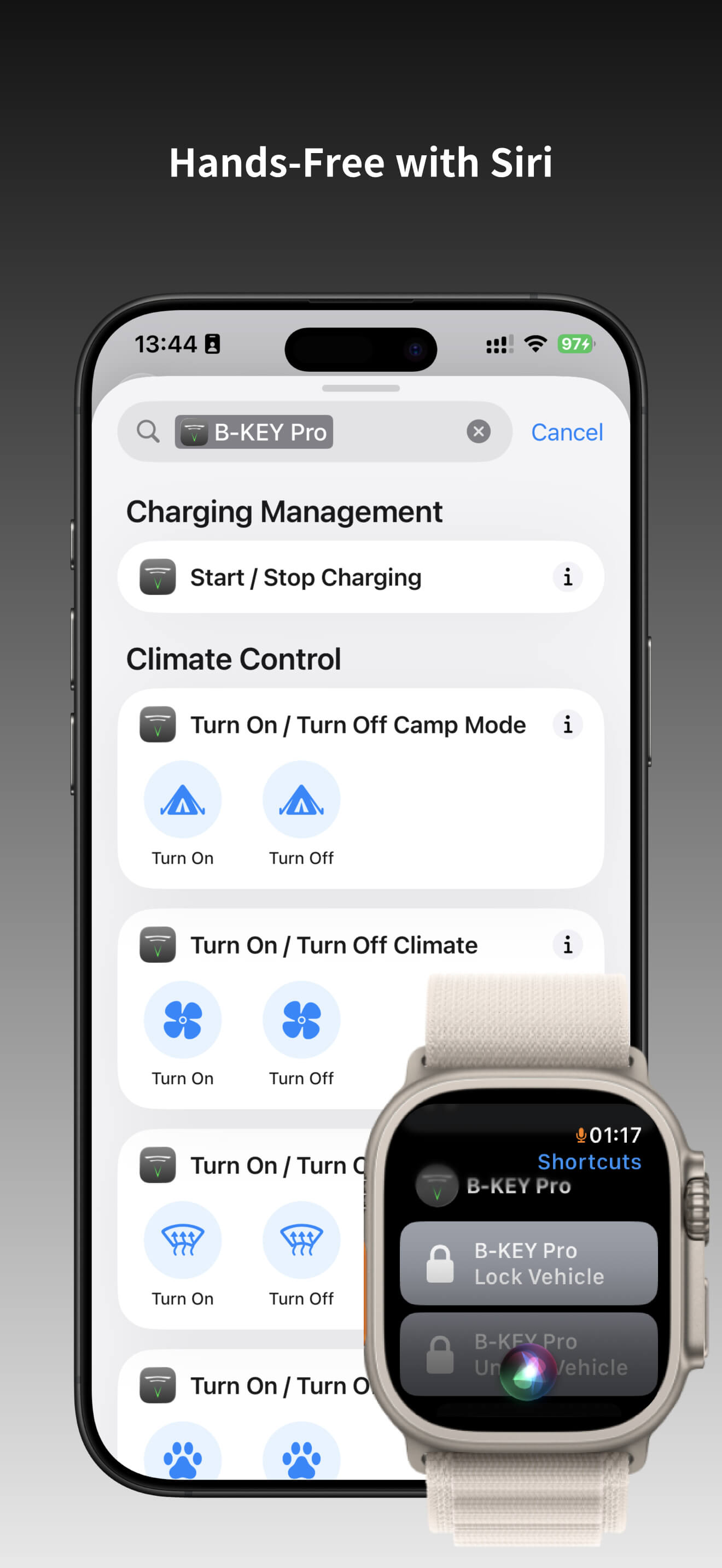
7. Siri Shortcuts
- Support Siri Shortcuts
- Support custom shortcut combinations
8. Quick Actions
- Support custom Quick Actions
9. Passive Unlock / Lock / Start
- Support passive unlock / lock / start
Q&A
1. Do I need to authorize my Tesla account?
B-KEY Pro supports both Bluetooth and network connections. If you choose to use only Bluetooth, you can use all features by being close to the vehicle and completing pairing. To control the vehicle remotely or check vehicle status, you need to authorize your Tesla ID within B-KEY Pro.
2. Will it affect the original vehicle key?
No, it will not affect the use of the original key or other third-party keys.
3. Does it support passive unlock and start?
Yes. (*If you restart your phone, you need to reopen B-KEY Pro and connect to the vehicle for it to take effect)
4. How to remove previously added keys?
5. How to use Siri Shortcuts?
After installing B-KEY Pro, some shortcuts will be generated in the "Shortcuts" app, which you can use directly. You can also find shortcuts in B-KEY Pro under "Settings > Add Siri Shortcuts", click "Add to Siri", and follow the instructions to name the shortcut. Shortcuts only work for the currently connected vehicle.
Privacy Policy
Welcome to B-KEY Pro. This application is commercial software. By using this app, you acknowledge that you have read, understood, and agreed to comply with this User License Agreement and Privacy Policy (Version V1.1, effective from August 15, 2025).
This Privacy Policy explains how we collect, use, and protect your account information, device data, and other personal information while you use the app.
Unless otherwise stated, terms used in this Privacy Policy have the same meanings as defined in our User License Agreement.
1. Account and Authorization
1.1 To provide remote vehicle control features, you need to authorize using your Tesla ID. The authorization process will redirect you to the official Tesla app, and this app will not directly access your Tesla ID or password.
1.2 Authorization is solely for accessing your vehicle data and control functions via the Tesla API. You may revoke authorization at any time via "Settings → Authorization Management".
1.3 Without authorization, you will not be able to use remote control or view vehicle information, but some functions may still be available via Bluetooth pairing.
2. Account Usage Guidelines
2.1 You must provide accurate, complete, and truthful information during authorization and usage. Failure to do so may affect your access to services, and you are responsible for any consequences arising from inaccurate or incomplete information.
2.2 This app does not store your Tesla ID or password. All login and authorization operations are handled by the official Tesla app.
2.3 You should keep your Tesla ID and password secure and are responsible for any actions performed with your account.
3. Personal Information Protection and Privacy Policy
3.1 Vehicle information obtained through the Tesla API is used solely for vehicle control and status display and will not be used for other purposes.
3.2 This app will not disclose your personal information to third parties without your consent, except as required by law or authorized authorities.
3.3 To provide Bluetooth pairing, network communication, and other features, the app may request access to device permissions. The purpose will be clearly explained before requesting your consent.
3.4 Key information and certain other data are stored only on your device and are not uploaded to servers. Uninstalling the app will delete this data.
3.5 If you wish to access, correct, or delete device information collected via the Bugly SDK, please contact us via the in-app "Contact Us" feature or email bkeyfeedback@gmail.com. We will respond within a reasonable timeframe.
4. Third-Party SDK — Bugly
4.1 To improve application stability and identify quality issues, we use the third-party SDK Bugly (provided by Tencent Computer Systems Company Limited) for application crash analysis and runtime quality monitoring.
4.2 Bugly SDK mainly collects necessary information related to the application’s runtime status when the application experiences crashes, freezes, or other performance anomalies, in order to help us identify issues and continuously improve application stability and user experience. The collected data will not be used for advertising or user profiling.
4.3 The types of personal information that may be collected by Bugly SDK include (subject to actual runtime conditions):
- Device and system information: device model, operating system version, internal operating system build number, IDFV
- Application and performance information: crash stack traces, CPU usage, memory and disk usage status, runtime status
- Network and environment information: network type (such as Wi-Fi status), region code
- Security status information: whether the device is jailbroken
4.4 Data processing and security:
- Bugly SDK is used solely for application quality analysis and issue troubleshooting and does not involve commercial advertising purposes.
- Data collected by Bugly SDK will be processed by servers provided by Tencent, which may be located in different jurisdictions. We will apply security measures such as data anonymization and encrypted transmission to protect the security of the data and comply with applicable data protection laws and regulations.
4.5 Before enabling Bugly SDK and collecting related data, the application will obtain your explicit consent (opt-in) via a pop-up notice. You may disable Bugly data collection at any time in the application settings. After it is disabled, Bugly will no longer collect your related information.
4.6 Bugly SDK Privacy Policy: https://privacy.qq.com/document/preview/fc748b3d96224fdb825ea79e132c1a56
5. Third-Party SDK — Firebase Analytics
5.1 To understand how application features are used and continuously improve product experience, we use Firebase Analytics (provided by Google) to perform anonymized statistical analysis of application usage behavior.
5.2 Firebase Analytics is mainly used to collect aggregated usage information within the application, such as page visits, feature usage, and interaction behavior, to help us optimize product design and functional experience. The collected data will not be used to deliver advertisements, nor will it be used for personalized marketing or user profiling.
5.3 Before enabling Firebase Analytics and collecting related statistical data, we will obtain your explicit consent via a pop-up notice. If you choose not to consent, Firebase Analytics will not be enabled, and this will not affect the use of the application’s core features.
5.4 For information about Firebase Analytics data processing practices, please refer to Google’s Privacy Policy: https://policies.google.com/privacy
6. External Links
This app may contain links to other websites or services. We are not responsible for the privacy policies or security measures of these external resources. Please review their privacy policies and terms of use before accessing them.
7. Paid Services
7.1 Subscriptions and paid services are handled through the Apple App Store in-app purchase system. Charges will be clearly displayed at the time of purchase.
7.2 You may cancel subscriptions at any time in your Apple ID settings. After cancellation, you can still use the paid services for the current billing cycle. Refunds follow Apple App Store policies.
8. Policy Updates
We may update this Privacy Policy from time to time. Changes will be posted on this page with the updated effective date. Please review periodically for the latest information.
9. Disclaimer
9.1 This app is not an official Tesla application. Tesla API authorizations and related matters are handled by the official Tesla platform. We are not responsible for the policies or actions of Tesla or other third-party services.
9.2 We strive to ensure app stability and security, but we are not responsible for service interruptions, data loss, or other issues caused by network failures, server issues, device compatibility, or force majeure.
10. Contact Us
If you have any questions, comments, or requests regarding this Privacy Policy, please contact us via the in-app "Contact Us" feature or by email at bkeyfeedback@gmail.com. We will respond as soon as possible.
Effective Date: August 15, 2025